Project Gallery
01 Project Overview
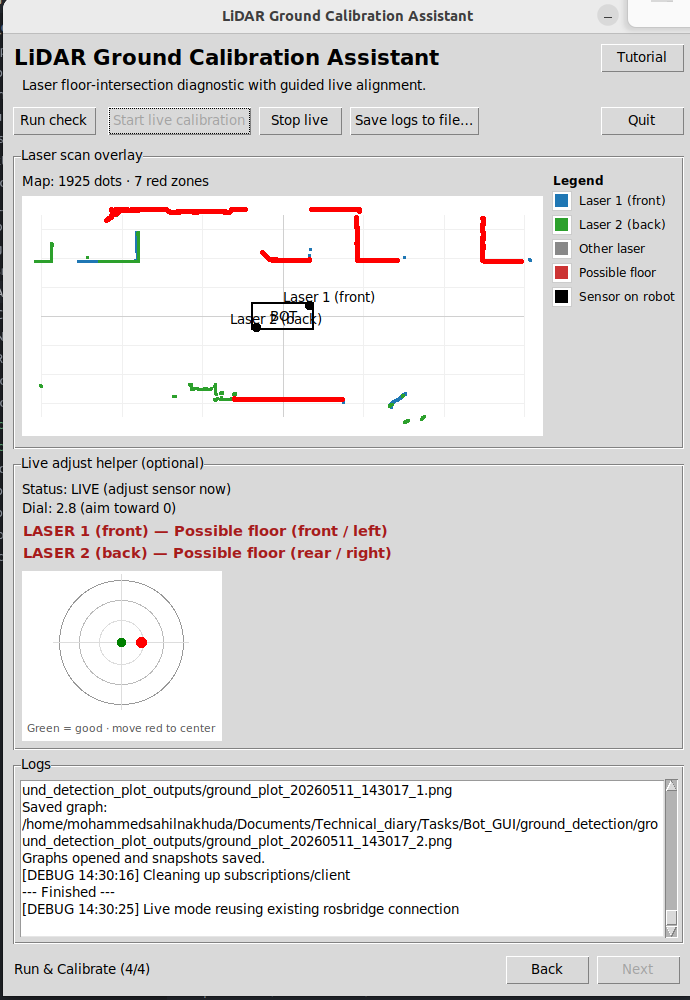
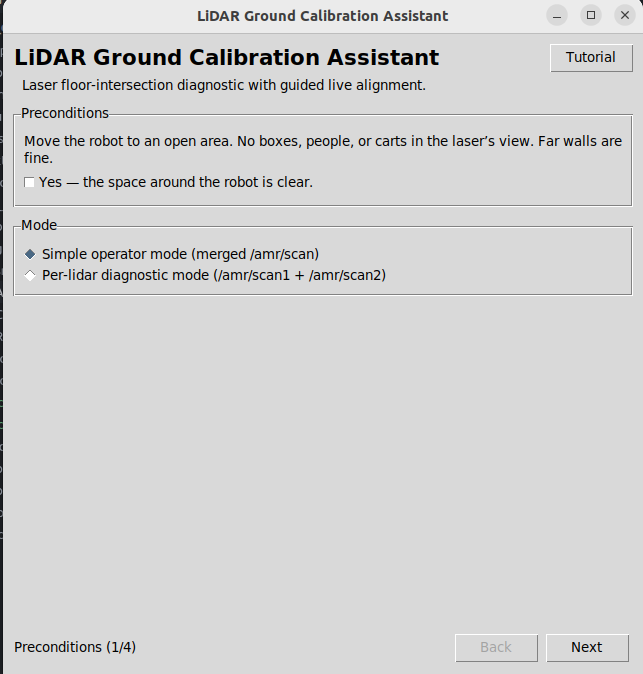
LiDAR alignment used to mean squinting at raw scan data and guessing. This tool turns it into a guided, point-and-click wizard: connect to any robot over rosbridge, run a one-shot floor-intersection check, then dial in the sensor live with a real-time alignment dial that just says "green is good, move red to center." It auto-adapts to ROS 1 or ROS 2 and any robot's topics with zero code changes — no ROS expertise required to run it.
02 Key Features & Achievements
Guided wizard runs a one-shot LiDAR floor-intersection diagnostic over rosbridge
Live alignment dial gives real-time visual feedback while adjusting sensor tilt
TF/TF2-aware pipeline works across ROS 1 and ROS 2 robots automatically
Robot-agnostic — topics, frames, and TF type set from a Settings page
Optional browser live map without opening a second robot connection
03 Technical Stack
04 Challenges & Solutions
Challenge 1
The robot's rosbridge only reliably supports one active client, but the tool needed three modes at once
Solution
Built a session-arbitration layer so Run, Live, and the browser relay never hold the connection simultaneously.
Challenge 2
Supporting arbitrary robots meant handling both ROS 1 and ROS 2 transform conventions
Solution
Added a runtime TF probe that auto-resolves the laser-to-base transform chain for either convention.
05 Key Achievements
Replaced manual LiDAR checks with a guided, repeatable diagnostic
Auto-resolves ROS 1 vs. ROS 2 transforms — no per-robot custom code
Session arbitration eliminated Run/Live/browser connection conflicts
Packaged as a standalone build ready for field operators